
Downloader in HD
Instagram Photo
Download high-quality Instagram photos and carousels instantly with our free, browser-based tool. Simply paste a public link to preview and save high-resolution images in seconds—supports single-image posts and carousel posts (public only).
Paste link → Download in HD → No login required.
 Profile
 Photo
Photo Video
Video Stories
 Reels
Reels Highlights
 PFP
PFPWhy Use ClipsSaver Instead of Instagram "Save"?
Instagram's Save feature bookmarks posts inside the app. It doesn't create a file you can rename, store, and organize on your device.
- Save photos as real image files (usually JPG/PNG, depending on the source)
- Avoid screenshots, cropping, and quality loss where possible
- Keep backups of your own content
- Store references for design, research, and planning (with permission)
- Keep images accessible offline on your device
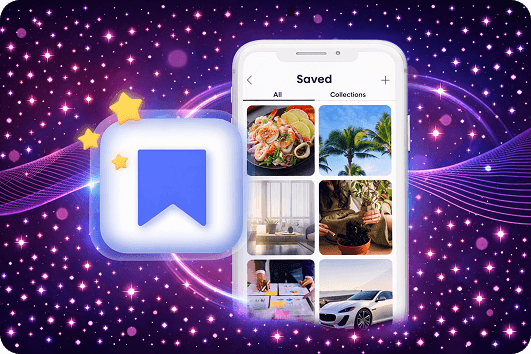
How to Download Instagram Photos (3 Simple Steps)
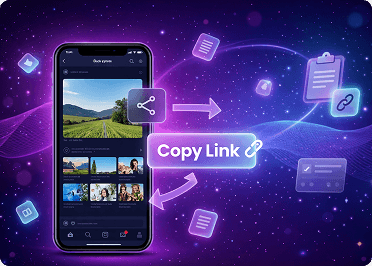
Copy the Instagram Photo Link
- Open Instagram and go to the photo post. Tap the (⋯) menu and choose Copy link. If you don’t see it, try: Share → Copy link.
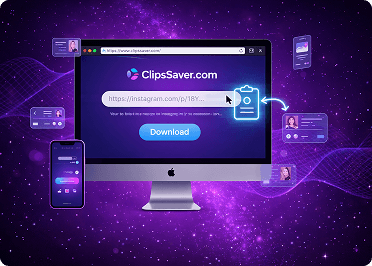
Paste the Link Into ClipsSaver
- Open ClipsSaver in your browser and paste the link into the input field.
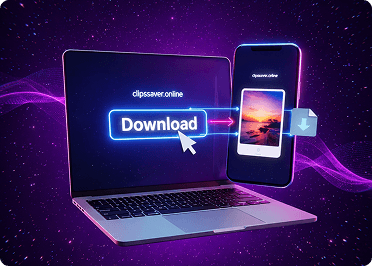
Download the Photo
- Click Download to save the image as a normal file on your device.
What You Can Download With ClipsSaver
ClipsSaver works best for public Instagram photo posts, including:
- Photos from public accounts
- Photos you posted yourself (useful for backup)
- Photos you have permission to save for personal reference, research, or work
- Private profiles and followers-only posts
- Some region-restricted or limited posts (when Instagram blocks access)
- Anything without a shareable public post link
Photo Quality and File Format
Best Available Quality (HD When Available)
ClipsSaver aims to fetch the highest-quality version Instagram makes available for that public post. If a post doesn't have an HD source, you'll get the best version available for that image.
Standard File Types (JPG/PNG)
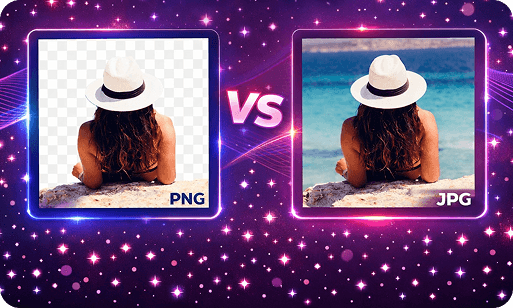
Photos download as standard image files (typically JPG/PNG), so they work everywhere:
- Phones and tablets
- Windows and macOS
- Cloud storage (Drive, Dropbox, etc.)
- Editing tools and design software
Pro Tips for Cleaner, Faster Instagram Photo Downloads
Always use the original post link
Copy the link directly from Instagram: (⋯) → Copy link. Reposted or redirected URLs can fail or return unsupported results.
If Download doesn’t respond, use the quick reset
Refresh the page, paste the link again, and retry. If needed, switch browsers (Chrome, Safari, Firefox, Edge) for the smoothest experience.
Keep files easy to recognize (simple naming)
Rename downloads with a clean, consistent format like: account + subject Examples: nike_shoes, zara_jacket, foodblog_pizza, travel_beach This makes your saved Instagram photos easy to search and reuse later.
POrganize once, benefit forever (folders)
Create a few tidy folders and save into them consistently: Inspiration, Product Photos, Ads References, Design Library, Client Work Perfect for creators, marketers, and teams building a reference library.
Use responsibly and protect your brand
Download only content you own or have permission to use. If you repost publicly or commercially, get permission and credit the creator when required.
Where Your Download Saves
iPhone / iPad (iOS)
Depending on your iOS version + browser:
- The file may download to the Files app first
- You can then save it into Photos from Files (Share → Save Image, if available)
Android
Downloads usually appear in:
- Downloads (or your Files app)
- You can move them to Gallery/Photos if needed.
Windows / macOS
Files typically save to:
- Your Downloads folder (Unless your browser asks where you want to save.)
Common Issues and Quick Fixes
The link won’t download
Make sure you copied the post link, not caption text. Open the link in your browser — if it doesn’t load, it won’t work in any downloader.
The post is private
ClipsSaver won’t download private or restricted posts. It does not bypass privacy settings.
The photo isn’t HD
Quality depends on what Instagram provides for that post. ClipsSaver downloads the best available version.
“Copy link” isn’t showing in Instagram
Menus vary by device/app version. Look for: Share → Copy link or Copy link inside the (⋯) menu
Safety and Responsible Use
ClipsSaver is designed to be safer than random apps:
- No Instagram password required
- No installation or extensions
- Public content only (no bypassing private accounts)
You’re responsible for ethical use:
- Download only content you own or have permission to save
- Respect copyright and creator rights
- Follow Instagram’s Terms of Use and local laws
Frequently Asked Questions
Find answers about downloading Instagram photos, carousel posts, image quality, and supported file formats.
Save Instagram Photos in Full Quality
Download single photos or entire carousel posts as real image files. No screenshots, no quality loss.